


Odoo WhatsApp Connector | Odoo WhatsApp Integration | WhatsApp Odoo Connector
$30.00
Whatsapp – Odoo connector is an Odoo WhatsApp Connector that integrates Odoo with the official WhatsApp Business API to automate quotations, invoices, order updates, and customer communication directly from Odoo. Send documents, notifications, and updates instantly on WhatsApp to improve response rates and reduce follow-ups — all securely and compliantly.
Best WhatsApp Business Connector Implementation Partner (Odoo) – 2025 🏆
Send WhatsApp Messages, Invoices & Notifications from Odoo
Send WhatsApp Message Odoo allows businesses to send WhatsApp messages, invoices, and automated notifications directly from Odoo. This app is designed for daily operational communication such as billing alerts, reminders, order updates, and transactional messages.
With this Odoo WhatsApp messaging solution, businesses can communicate faster, improve invoice delivery rates, and keep customers informed in real time using WhatsApp.
🚀 Why Use WhatsApp Messaging
in Odoo?
Email invoices and system notifications are often ignored. WhatsApp messages are opened instantly, making them ideal for invoices, reminders, and important updates.
✔ Send WhatsApp messages directly from Odoo records
✔ Share invoices via WhatsApp in one click
✔ Automate transactional notifications
✔ Improve payment follow-ups and response rates
✔ Reduce dependency on email communication
🚀 You’re just one confirmation away from instant customer communication.
How It Works — Simple & Automated
Four simple steps to transform your customer communication using WhatsApp & Odoo

Create Document in Odoo
Generate a quotation or invoice using Odoo Sales or Invoicing.
➜

Confirm the Document
Confirmation triggers WhatsApp automation.
➜

PDF Generation
A professional PDF is generated instantly from Odoo.
➜

WhatsApp Delivery
The customer receives the document directly on WhatsApp.
🎥 Watch WhatsApp Odoo Connector in Action
See how whatsapp odoo connector automates quotations, invoices, and customer
communication directly from Odoo using WhatsApp Business API.
🔍 What this Video Covers
✅ Real-time WhatsApp automation from Odoo
✅ Quotation & invoice PDF delivery
✅ Customer reply handling inside Odoo
✅ End-to-end workflow demonstration
Advanced WhatsApp Automation Inside Odoo
|
Unified DashboardManage WhatsApp API, templates, chats & automation from screen. |
Template CreationCreate text, media, and interactive templates inside Odoo. |
Live PreviewPreview templates exactly as customers will see them. |
Meta SignupApply for WhatsApp Business API directly from Odoo. |
|
Green TickTrack verified green tick application status inside Odoo. |
Template SyncSync approved templates from WhatsApp to Odoo automatically. |
Trigger AutomationSend messages automatically based on Odoo triggers. |
Module ControlEnable or disable WhatsApp automation per Odoo module. |
|
WhatsApp ChatReply to customers in a chat view inside Odoo. |
Send MediaShare files, images, PDFs directly via WhatsApp in Odoo. |
Activity LogTrack every WhatsApp interaction inside Odoo. |
Order SyncKeep orders, invoices, deliveries synced with WhatsApp actions. |








Tailored WhatsApp Automation for Every Industry
This Odoo WhatsApp Connector adapts seamlessly across industries, enabling faster communication and better customer engagement.
|
Retail & E-Commerce
|
Wholesale & Distribution
|
Food & Hospitality
|
Healthcare
|
|
Real Estate
|
Logistics & Transportation
|
Professional Services
|






Key Features
Powerful WhatsApp automation built seamlessly inside Odoo.
|
Unified WhatsApp Dashboard
Manage WhatsApp onboarding, templates, automation status, chats, and activity logs from one centralized dashboard inside Odoo.
|
Meta Embedded Signup
Complete the official WhatsApp Business API onboarding using Meta’s Embedded signup flow directly from within Odoo.
|
Create WhatsApp Templates
Create and manage WhatsApp templates directly inside Odoo without accessing Meta Business Manager.
|
|
Live Template Preview
Preview WhatsApp templates exactly as customers will receive them, including formatting, variables, buttons, and media.
|
Media, Variables & Buttons
Enhance templates with media headers, dynamic variables, call-to-action buttons, and quick replies.
|
Auto-Send Quotations & Invoices
Automatically send quotations, invoices, and other PDFs via WhatsApp based on Odoo workflow actions.
|
|
Template Sync & Trigger Automation
Sync approved templates and define trigger points for Sales Orders, Invoices, Deliveries, RFQs, and POS Bills.
|
Two-Way WhatsApp Communication
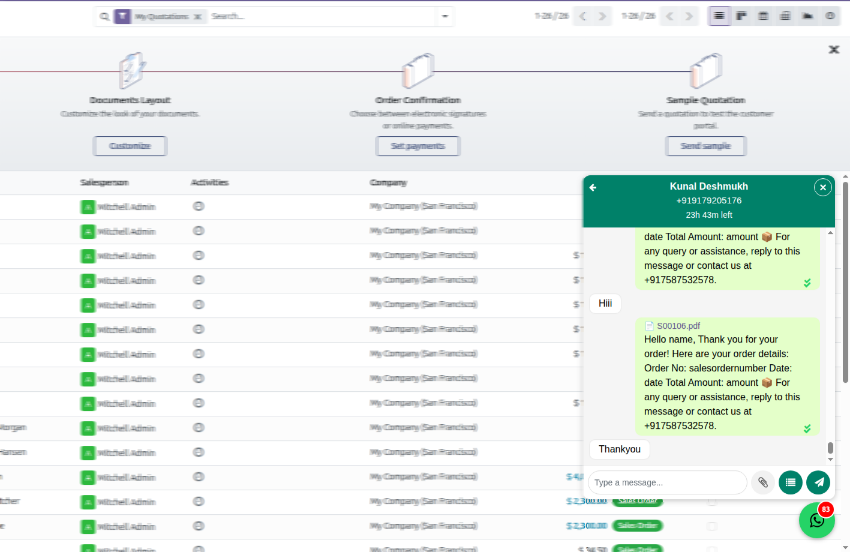
Send and receive WhatsApp messages in real time, including media files and template-based replies.
|
Module – Setup & Features
Step-by-step guide to configure billing, templates, triggers and WhatsApp messaging in Odoo.
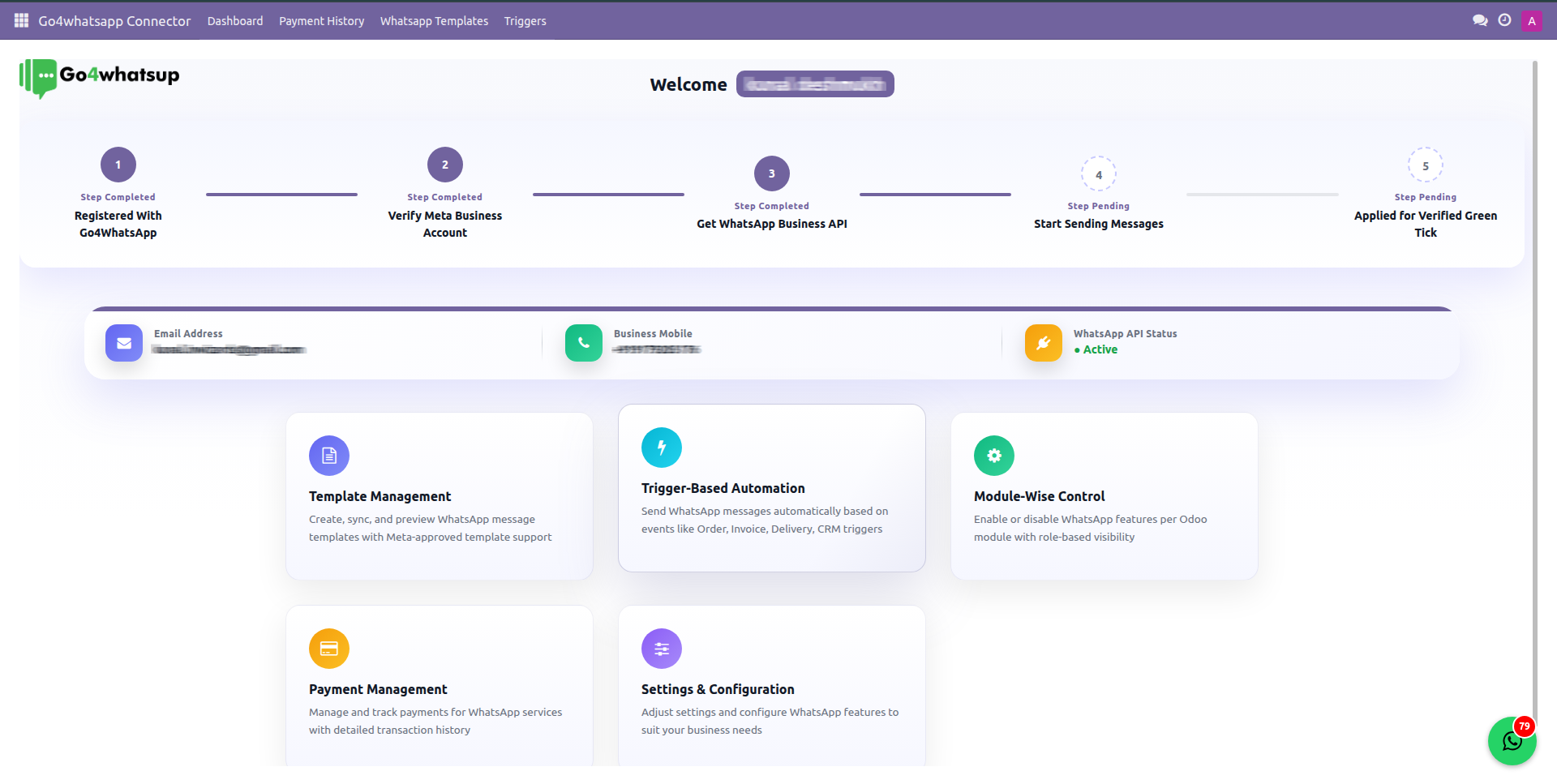
Manage onboarding, API status, templates, automation triggers, chats, and activity logs from one centralized dashboard inside Odoo.
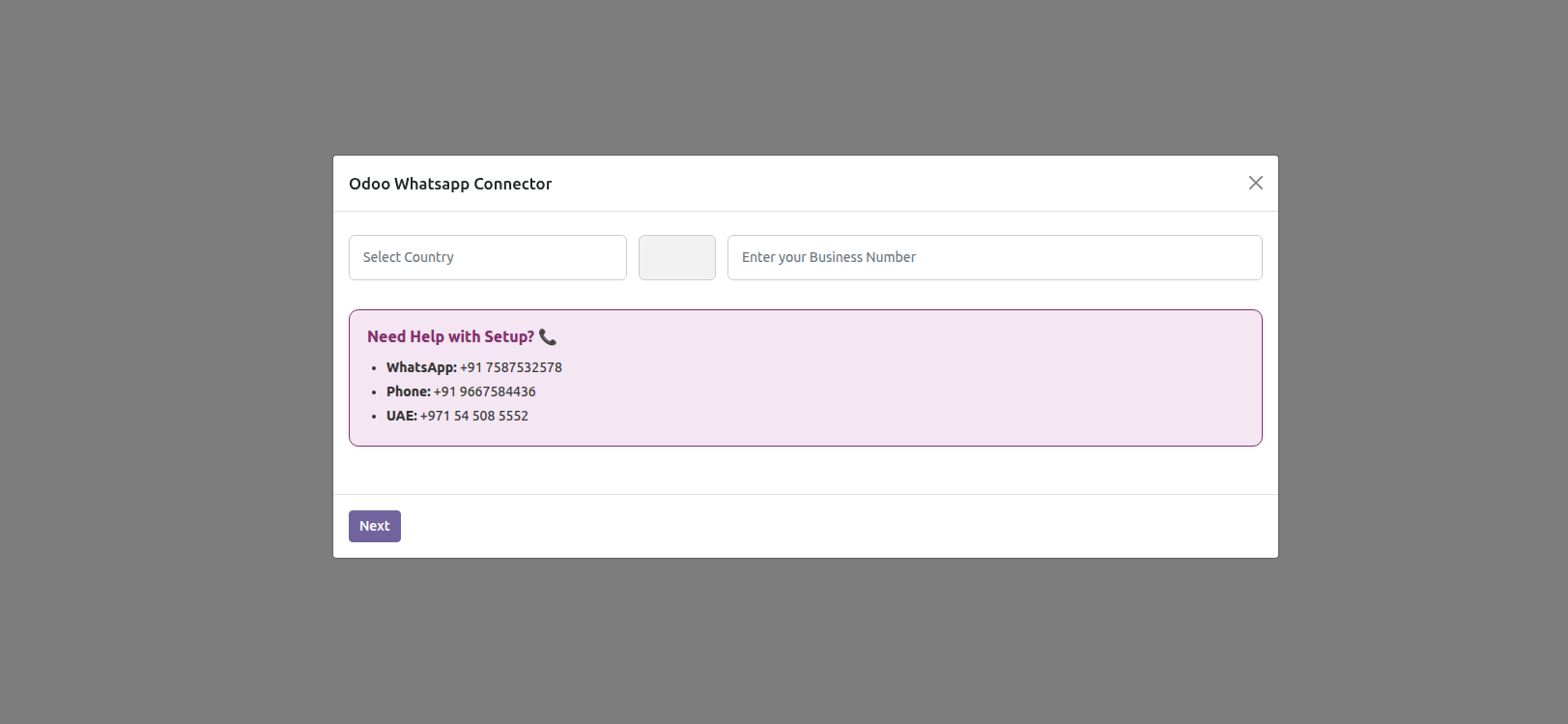
Check whether your number is registered with us or not.
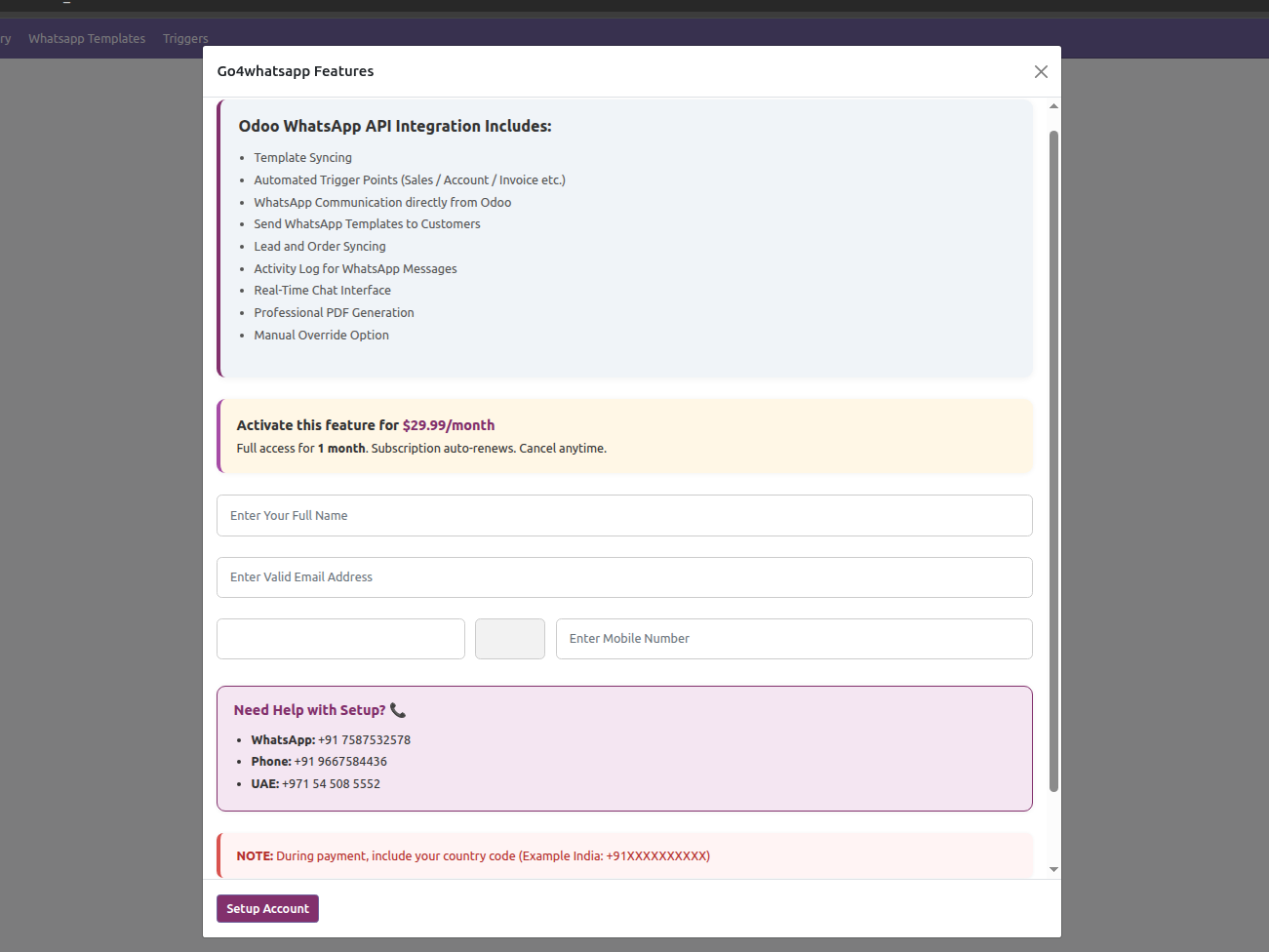
Fill basic details and complete payment. Click Setup Account to login.
Apply for the official WhatsApp Business API directly from Odoo using Meta’s embedded signup flow. No need to access Meta Business Manager or configure APIs manually.
- ✔ Business verification
- ✔ Phone number registration
- ✔ API activation
- ✔ Green Tick eligibility
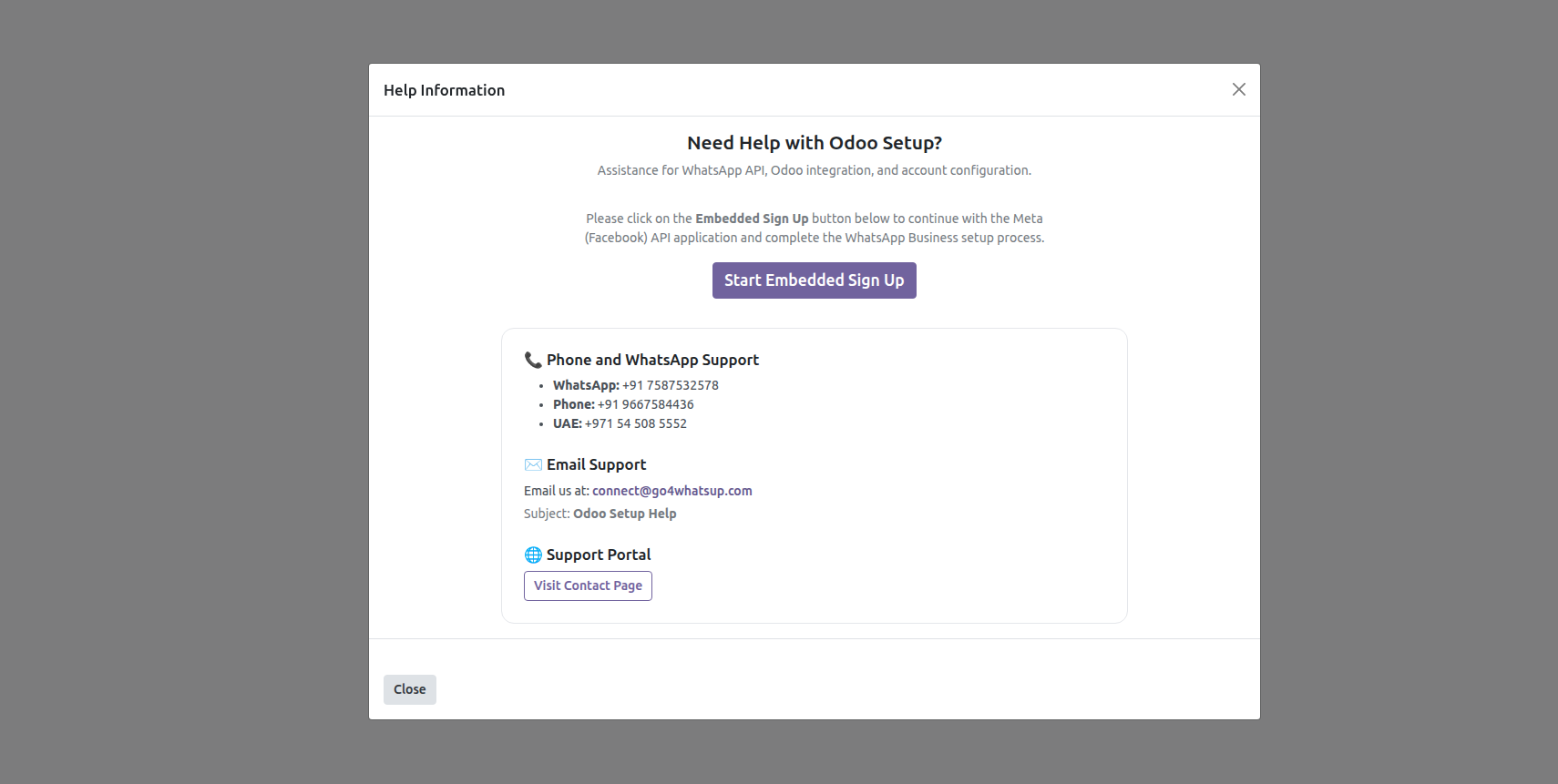
Connect your Facebook account and register your account. If you face any problems, please contact us and our team will set up your account.
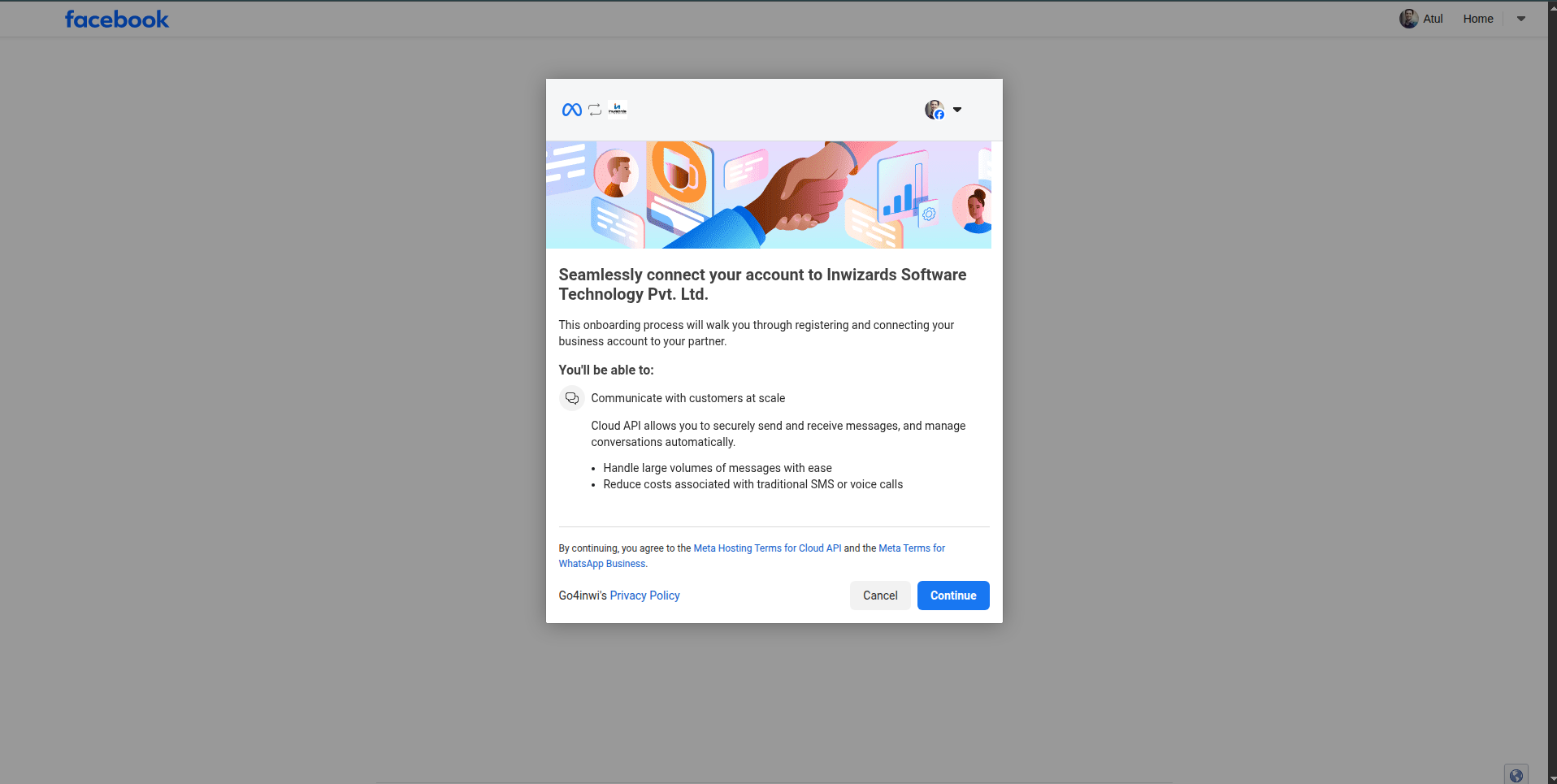
View your billing cycle and complete payment history.
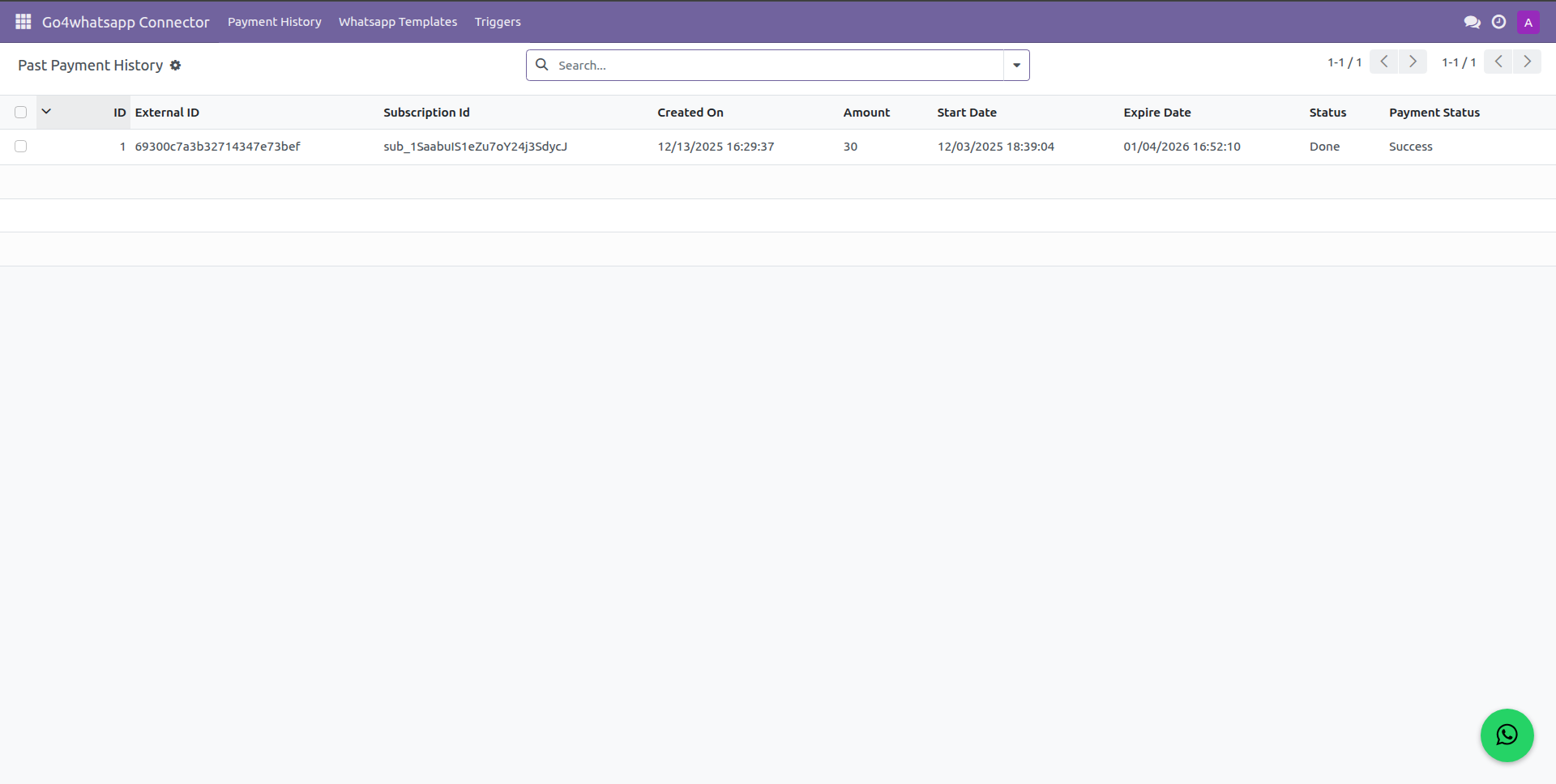
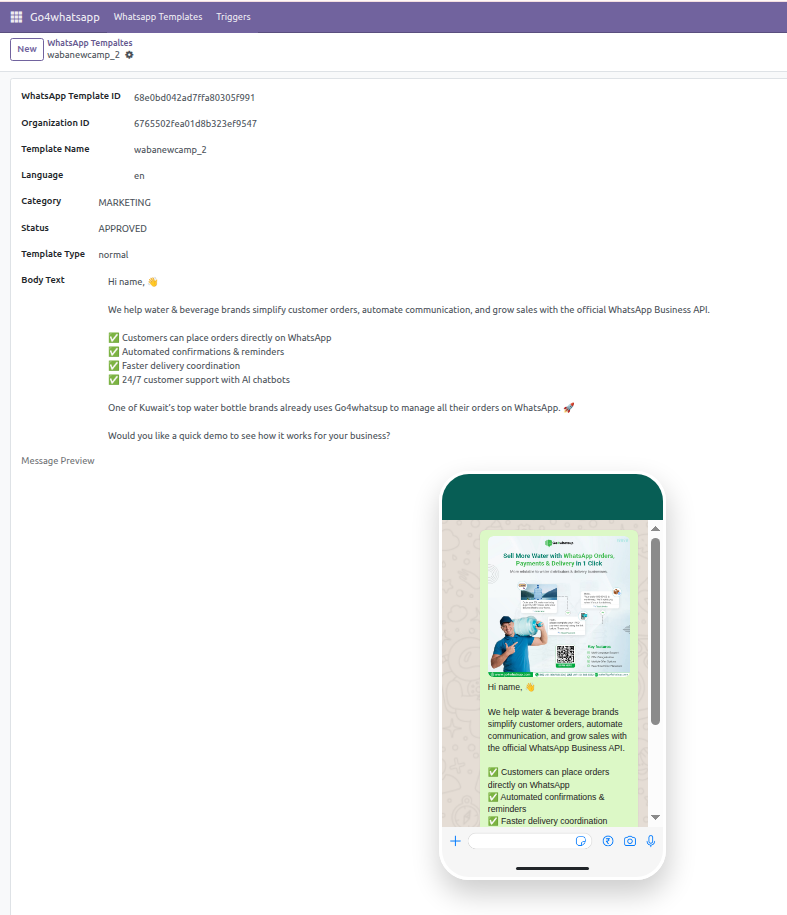
Create, submit, sync, and manage WhatsApp message templates directly inside Odoo.
- ✔ Text, media & interactive templates
- ✔ Dynamic variables
- ✔ Call-to-action buttons
- ✔ Quick replies
- ✔ Live template preview
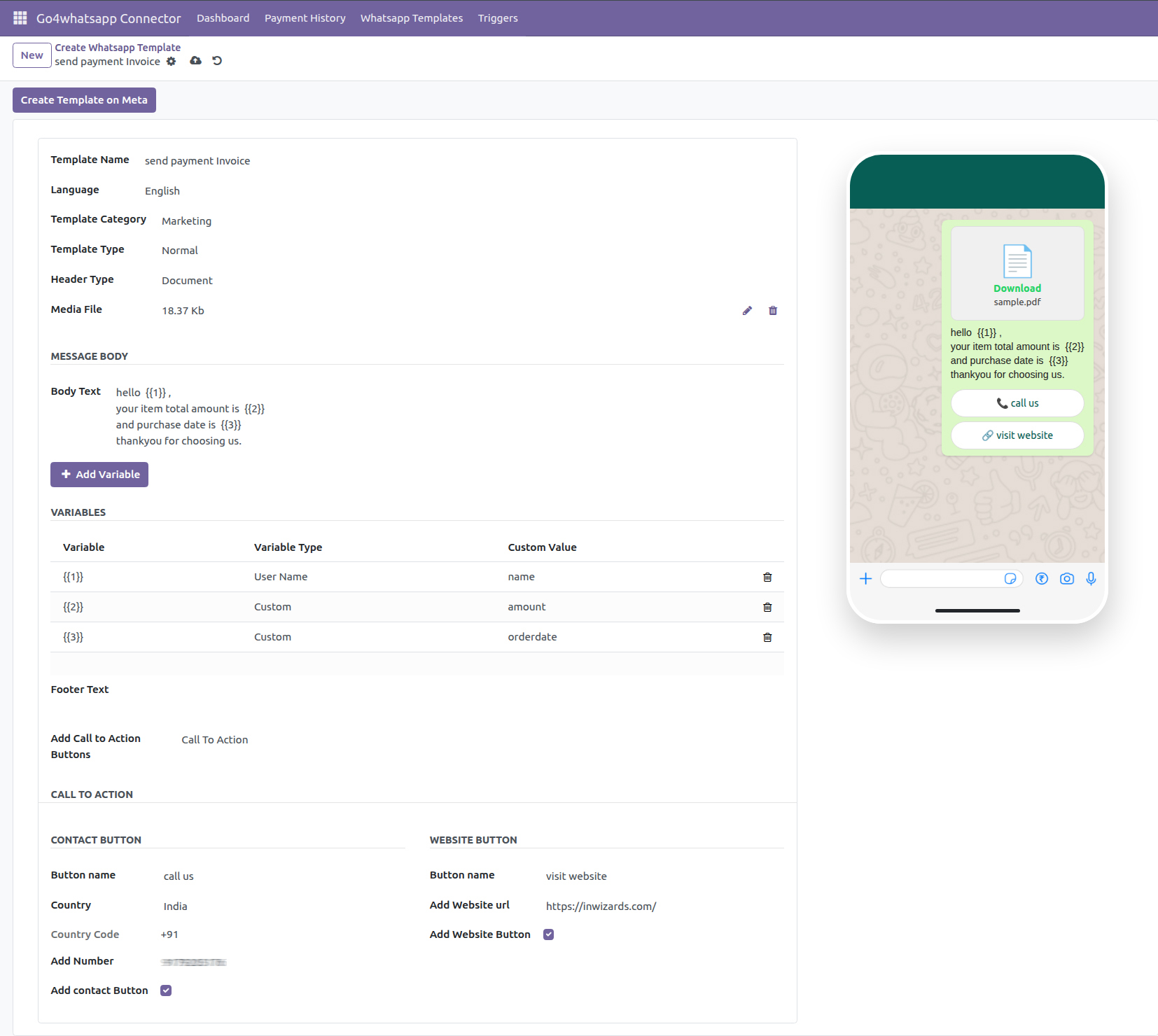
Preview WhatsApp templates exactly as customers will receive them, ensuring formatting accuracy and faster template approvals.
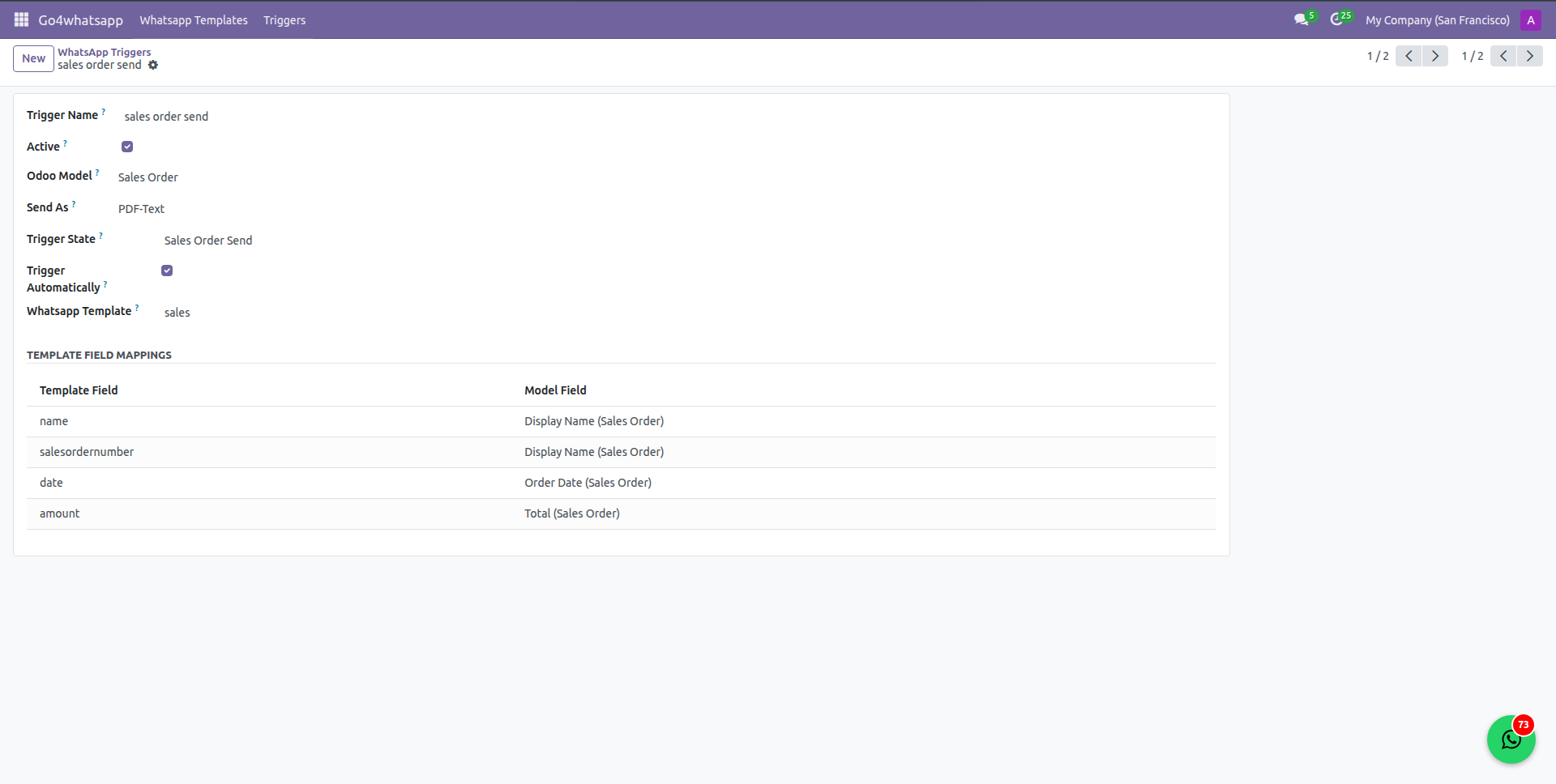
Automatically send WhatsApp messages based on Odoo workflow actions:
Quotation sent or approved
Sales order confirmation
Invoice creation & payment status
Delivery order confirmation
RFQ & Purchase order updates
POS bill generation
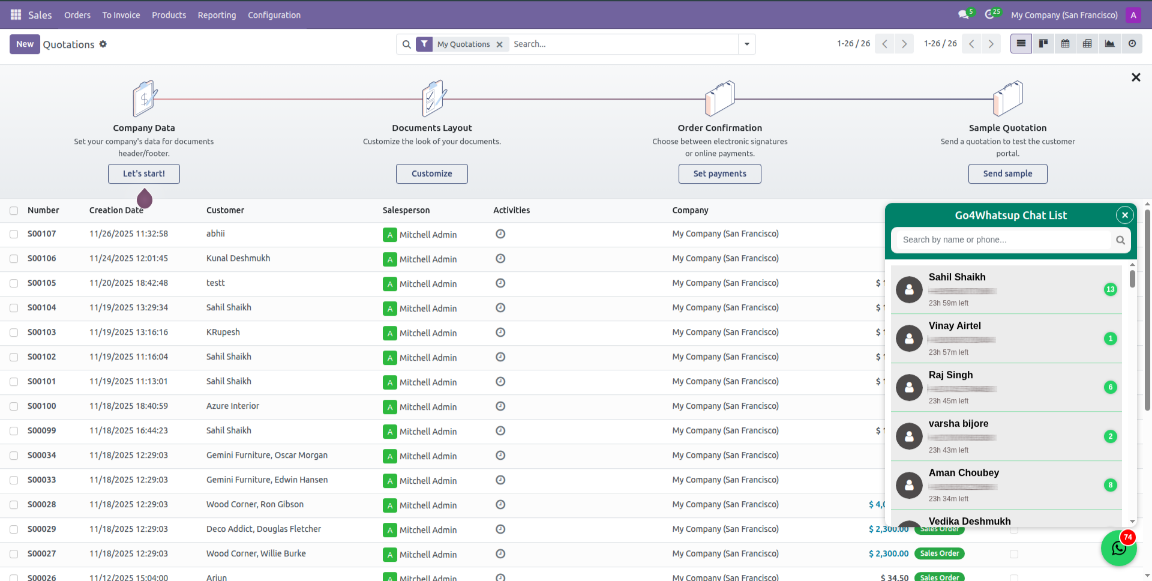
Access WhatsApp chat toggle button from anywhere in Odoo.
Monitor complete WhatsApp activity logs.
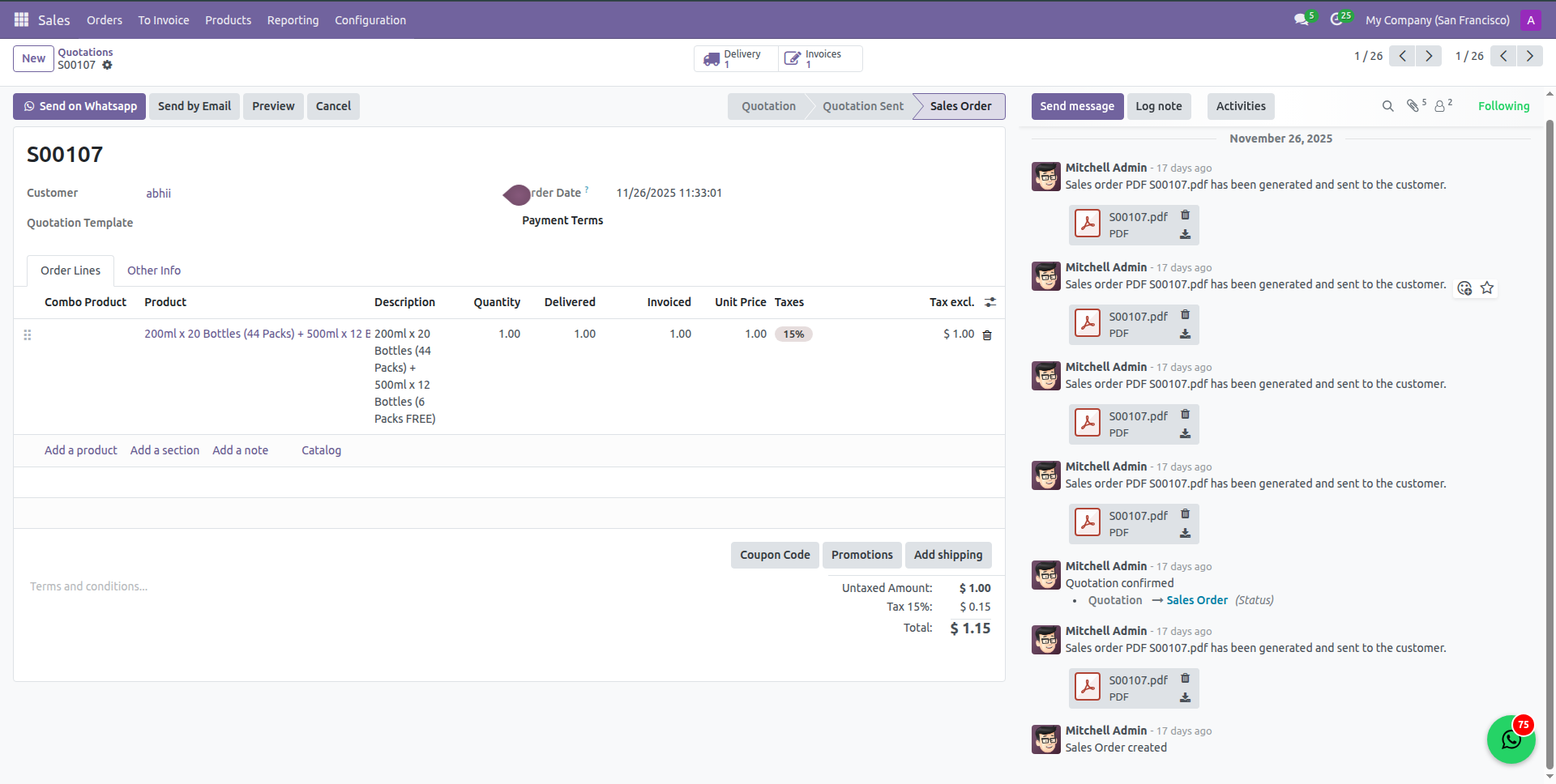
Send professionally generated quotations, invoices, delivery slips, and documents as PDFs directly via WhatsApp.
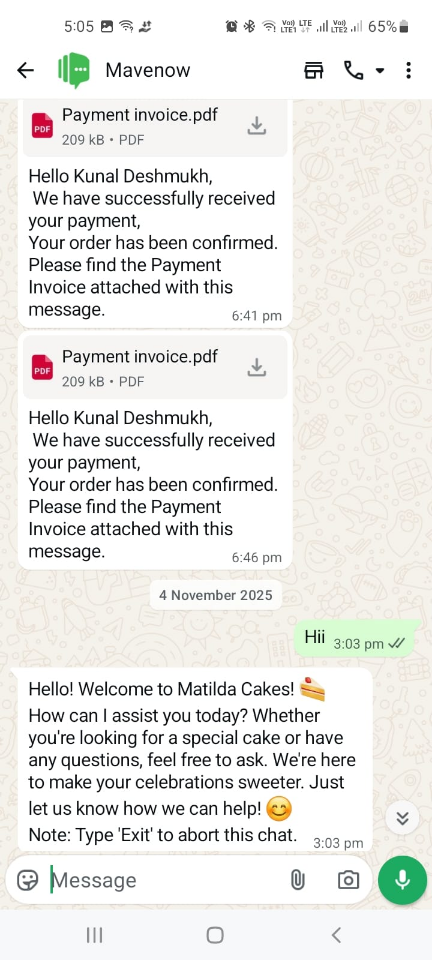
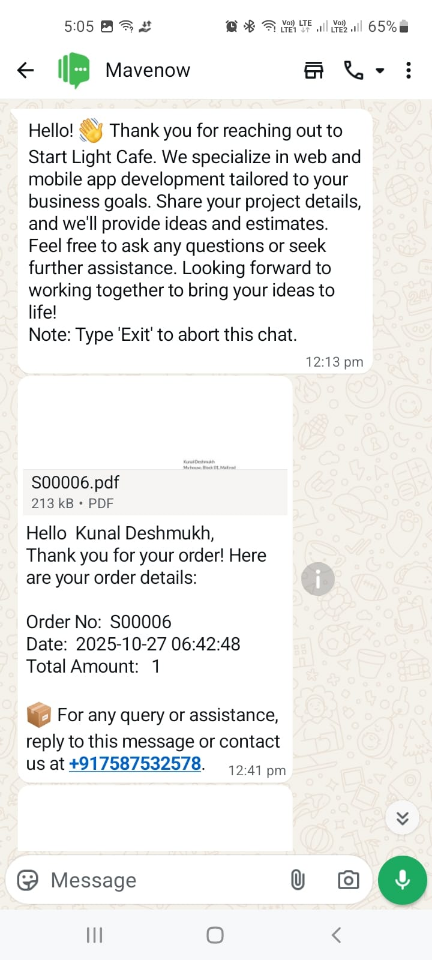
Live chat feature that allows you to send and receive messages from customers, including templates, media files, and regular text messages.
Client Success
Invest your trust like our elite clientele did!





Inwizards Odoo Services
Upscale your business with expert services from an Odoo Gold Partner.
|
Website Application Development
|
Module Development
|
Theme Development
|
|
Implementation
|
Customization
|
Integration
|
|
Migration
|
Support & Maintenance
|
Consulting
|







What our Clients say
Our clients love us! Hear from those who have made data-driven decisions with whatsapp odoo connector.
Satisfy with support
Exceptional application and outstanding customer care indeed.
My experience with them was truly remarkable, and I highly recommend
their services to anyone looking for top-tier solutions.
kashif aziz
★★★★★
★★★★★
Very helpful and patient
They were very easy to schedule time with and when I got on the call,
they answered all my questions. They also understood beyond my
questions and showed me some features that would help me.
Ryan Felps
★★★★★
★★★★★
Frequently Asked Questions (FAQs)
1. What is Odoo + WhatsApp API integration?
This integration connects your Odoo ERP with WhatsApp Business API via Go4Whatsup. It allows automated communication such as sending quotations, invoices, delivery updates, payment reminders, and notifications directly from Odoo to your customers.
2. How does this integration help my business?
It automates repetitive messaging tasks, improves response times, reduces manual effort, and centralizes customer communication. Your team can track all messages, approvals, and document status directly in Odoo, boosting efficiency and customer satisfaction.
3. Do I need technical knowledge to set this up?
No technical expertise is needed. Our team handles the entire setup, including WhatsApp API activation, template configuration, trigger setup, and testing within Odoo.
4. Can I send bulk messages?
Yes. Approved WhatsApp templates can be used for bulk messages like promotions, notifications, or updates. You can also filter recipients by customer, vendor, or sales order criteria.
5. Can I preview WhatsApp messages before sending?
Yes. go4whatsup provides a live preview of each template, including text, images, and document attachments. You can edit or approve templates before they are sent automatically.
6. Can I receive customer replies in Odoo?
Absolutely. Incoming messages from customers are synced to Odoo’s activity log, enabling your team to respond, track conversations, and link replies to the corresponding order, invoice, or delivery.
7. How do trigger points work?
Trigger points allow you to set rules for sending messages automatically based on specific events such as Sales Order confirmation, Invoice validation, Payment receipt, Delivery status updates, POS bills, and RFQs. Each trigger can have a different template and media attached.
8. Does it work with older Odoo versions?
Yes. The module is compatible with Odoo versions 15, 16, 17, 18, and 19.
9. How much does it cost?
The subscription is $29.99/month, including full setup, WhatsApp API configuration, template setup, and ongoing support.
10. Is this integration secure?
Yes. The integration uses the official WhatsApp Business API via Go4Whatsup. All messages and customer data are encrypted, fully compliant with WhatsApp policies, and tracked within Odoo.
11. Can I send media files along with messages?
Yes. You can attach PDFs, images, or documents to messages. Each media file can be linked to a specific template or trigger point.
12. What happens if a message fails to send?
Failed messages are logged in the activity log with details, allowing your team to resend or troubleshoot the issue directly from Odoo.
🌟 WhatsApp Odoo Connector Releases
Every update brings new capabilities.
Keep track of the latest features and enhancements designed to visualize and analyze your data like a pro.
New Version
Release 1.0.0
(13th Jan, 2026)
- Latest Version 19 Release of Whatsapp Odoo Connector.
Reviews
There are no reviews yet.